
How to Increase WiFi Speed on Mobile in Dubai: Easy Tips
Your phone shows full WiFi bars, but YouTube still buffers, WhatsApp calls keep breaking up, and Instagram loads slowly. This can happen because of weak signals, interference, or poor network coverage.
Before you blame your phone or buy a new router, find out where the slowdown is actually happening.
Across Dubai apartments, villas, and offices, common causes include thick walls, multiple floors, crowded WiFi networks, and too many connected devices. This guide from a WiFi Technician in Dubai explains how to increase WiFi speed on mobile and when it may be time to call a professional.
Step 1: Test Your WiFi Before Changing Anything
Start with a speed test on your phone. Stand right next to the router and run the test. Then repeat it in the room where your WiFi feels slow.
Use these results to identify the likely cause:
| Speed Test Result | Likely Cause |
|---|---|
| Fast near the router but slow in the bedroom | Weak coverage |
| Slow everywhere on all devices | Router, ISP, or network issue |
| Only one phone is slow on the WiFi network | Phone or settings issue |
| Speed drops behind walls | Signal obstruction |
Test WiFi in Different Rooms
To understand your network performance, test three different spots.
First, check the speed next to the router. Then test the room where you usually use your phone, such as the living room. Finally, test a room farther away, such as the bedroom.
For example, you might get:
- 300 Mbps next to the router
- 150 Mbps in the living room
- 20 Mbps in the bedroom
If this happens, the problem may not be your internet plan. The large drop in speed suggests that signal strength or interference is affecting the connection in the farther room.
The key point is that internet speed and WiFi speed are not the same.
Having a fast internet package does not mean your WiFi will be fast everywhere in your home. Good coverage is just as important as your internet plan.
Step 2: Try These Quick WiFi Fixes
Restart Your Phone and Router
Toggle WiFi off and on, then restart your phone.
Next, restart the router and wait until it is fully back online. Test your connection again.
If you need to restart the router every day to get usable WiFi, there may be another problem that needs attention.
Forget and Reconnect to the WiFi Network
Old or corrupted connection data can sometimes cause connection problems.
Forget the WiFi network on your phone, then reconnect using the correct password.
Also check for phone software updates. While testing, temporarily turn off your VPN or battery saver mode if either could be affecting your connection.
Choose the Right WiFi Band
Your router may offer both 2.4 GHz and 5 GHz WiFi.
5 GHz is usually faster at close range. It is useful for video calls, streaming, and large downloads.
2.4 GHz travels farther and can work better through walls. It may be more stable in rooms that are far from the router.
Neither band is always better. The right choice depends on your distance from the router, walls, interference, and network setup.
Disconnect Devices You Do Not Use
Smart TVs, laptops, game consoles, security cameras, printers, and other phones can all use your network.
If your WiFi becomes faster after disconnecting some devices, the problem may be network congestion rather than your internet plan.
In this case, better network management may help more than simply buying a faster package.
Improve Router Placement
Router placement can have a major effect on WiFi coverage.
Routers hidden inside cabinets, placed behind TVs, or left in corners or on the floor may not provide good coverage.
Many routers are installed where the internet cable enters the property. This is convenient, but it is not always the best location.
Try to place the router:
- In a central location
- In an open area
- Above the floor
- Away from large obstructions
- Away from sources of interference
If moving the router requires new cabling, router relocation Dubai services may be worth considering. The best location depends on your property layout, walls, floors, and existing network setup.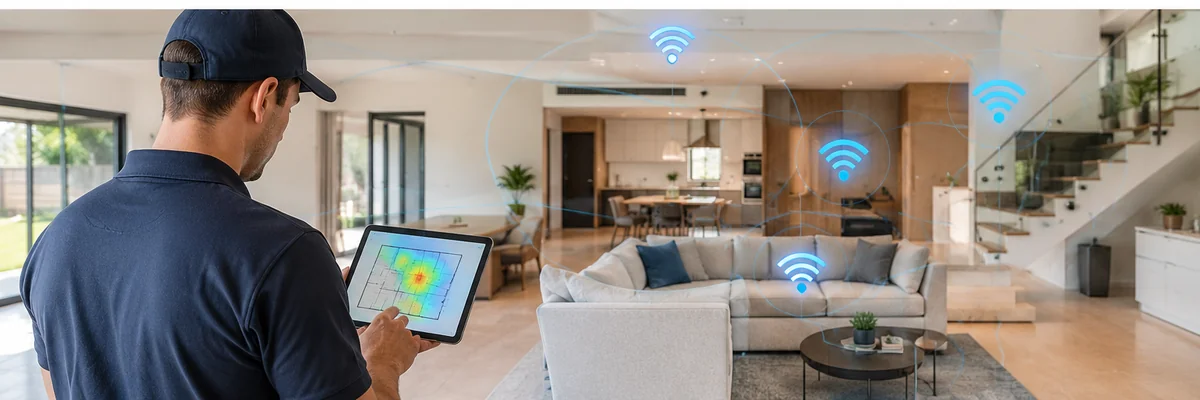
Don’t Buy a New Router Yet
If your phone is fast beside the router but slow in other rooms, buying a bigger router may not solve the problem.
The real cause could be:
- Poor router placement
- Thick walls
- Multiple floors
- WiFi interference
- Incorrect configuration
- Too many connected devices
Diagnose the problem first, then decide whether you need an upgrade. This can help you avoid spending money on equipment that does not solve the actual issue.
WiFi Interference in Dubai
WiFi interference can be a common issue in apartment buildings. Many nearby networks may use the same or overlapping channels.
If your signal appears strong but WiFi performance changes frequently, interference may be affecting your connection.
A professional WiFi installation service can check factors such as:
- WiFi channels
- Signal strength
- Router configuration
- Firmware
- Connected devices
- Network performance
A technician can also determine whether you need an additional access point or a mesh WiFi system.
When Is a WiFi Upgrade Actually Needed?
A WiFi upgrade Dubai service may be useful if you continue to experience WiFi problems at home or in your office.
Consider an upgrade if:
- Your router is several years old or does not support modern WiFi standards.
- You have many connected devices.
- Your property has multiple floors.
- Several rooms have weak coverage.
- You experience frequent disconnections.
- Your router cannot handle the speed of your internet package.
Large Villas May Need More Than One Router
In a large villa, replacing one router with another does not always solve coverage problems.
Reinforced concrete walls, multiple floors, and distant rooms can make it difficult for one router to provide reliable coverage.
You may need several well-placed access points or a mesh WiFi system.
Instead of asking, “Which router has the biggest range?” ask, “Where does the network need reliable coverage?”
A network upgrade Dubai assessment or home WiFi setup Dubai plan can help build the network around your property and usage instead of simply choosing the most expensive router.
Not Sure Where the Weak Spots Are?
A WiFi Site Survey Dubai can map coverage and interference room by room before you spend money on new equipment.
It can be especially useful if you have:
- WiFi dead zones
- Uneven speeds
- Multiple floors
- Frequent connection problems
- Plans to install mesh WiFi
- Plans to add access points
A site survey helps identify where the network needs improvement before you decide which equipment to install.
WiFi Not Working at All?
If you are searching for WiFi not working in Dubai, first identify how widespread the problem is.
Only Your Phone Cannot Connect
Check the WiFi settings on your phone. Forget the network, reconnect, and test again.
Every Device Is Offline
Check the router lights and cables. You should also check whether your internet provider is experiencing an outage.
WiFi Keeps Dropping
Frequent disconnections or a WiFi network that keeps disappearing may require proper troubleshooting.
The goal of Fix My WiFi support should be to find the cause of the problem rather than simply restarting the router.
When to Call a WiFi Technician in Dubai
A few seconds of buffering does not always require professional help. However, consider contacting a WiFi Technician in Dubai if:
- WiFi is slow in specific rooms.
- Your villa has WiFi dead zones.
- The router needs to be relocated.
- You need mesh WiFi or access point installation.
- WiFi becomes unstable when many devices connect.
- You experience frequent disconnections.
- Your office needs reliable wireless coverage.
- You upgraded your internet package but WiFi is still slow.
A technician can inspect the network as a whole instead of relying on a single speed test.
Conclusion
Increasing WiFi speed on mobile is rarely about finding a hidden phone setting. Your phone may simply be revealing a problem somewhere in the network.
Start with simple steps. Restart your phone and router. Test the connection in different rooms. Choose the right WiFi band. Disconnect unused devices and check your router placement.
If WiFi is fast beside the router but slow elsewhere, focus on coverage.
If WiFi is slow everywhere, check the router and internet service.
If the connection becomes unstable when many devices are connected, you may need better network planning.
The goal is not just a better speed-test number. It is stable WiFi wherever you actually use your phone.
FAQs
Why is my phone WiFi slow when my internet plan is fast?
Internet speed and WiFi performance are different. If your speed drops significantly as you move away from the router, weak coverage, interference, or poor router placement may be the cause.
How can I increase WiFi speed on mobile without a new router?
Restart your phone and router. Reconnect to the WiFi network. Use 5 GHz when you are close to the router. Disconnect unused devices and improve router placement.
Is 5 GHz always faster than 2.4 GHz?
No. 5 GHz is usually faster at short range, while 2.4 GHz can travel farther and work better through walls. The best option depends on distance, walls, and interference.
Do I need a WiFi Site Survey in Dubai?
A WiFi site survey can be useful if you have dead zones, uneven speeds, multiple floors, or plans to install mesh WiFi or additional access points.
Should I upgrade my internet package or my WiFi?
Test your speed next to the router first. If the speed is good there but poor in other rooms, the problem is more likely related to WiFi coverage. If the speed is poor even beside the router, check your router or internet service.
Can router relocation improve mobile WiFi?
Yes. If your router is poorly positioned, moving it to a central and open location can improve coverage. The results depend on your property layout, walls, and interference.
What if WiFi is slow in only one room?
Compare the speed in that room with the speed next to the router. A large difference usually points to a coverage problem. Router relocation, an additional access point, or a mesh WiFi system may help.